
Annotate anything in your browser. Send it to your AI.
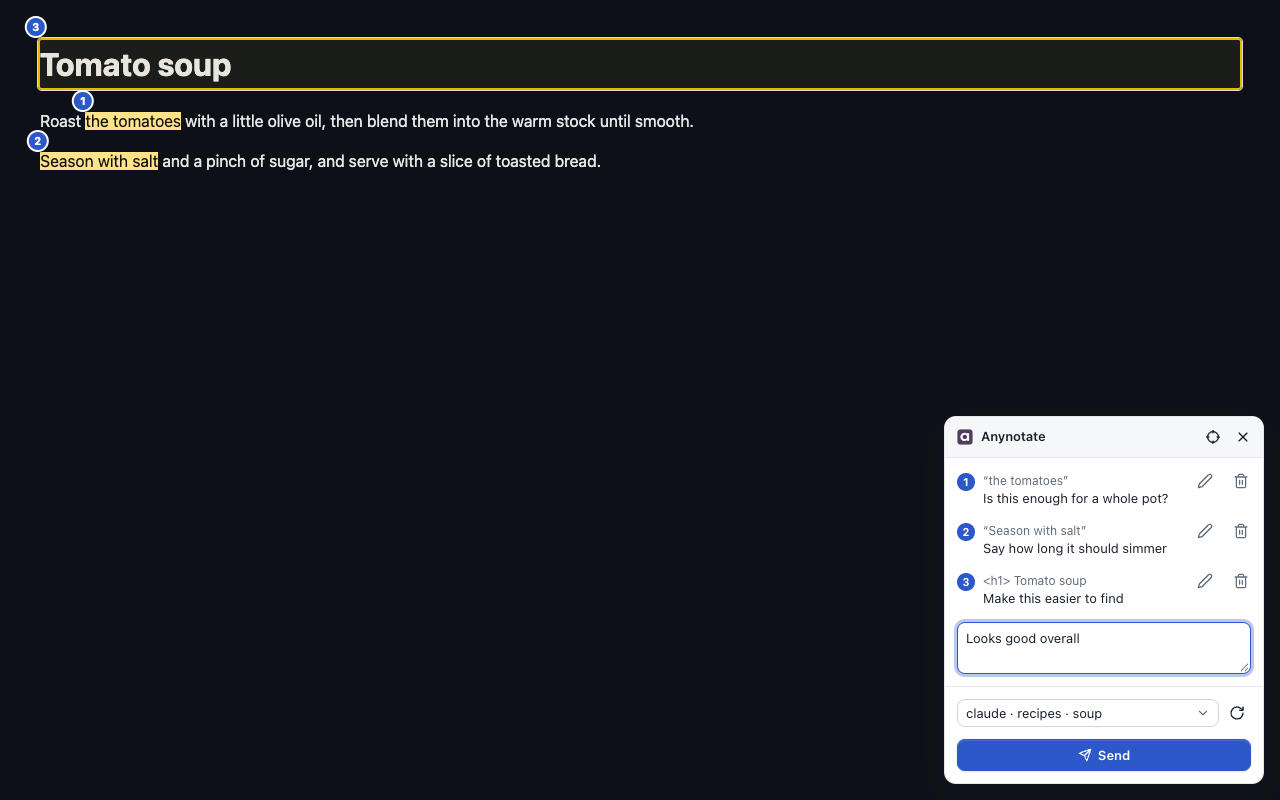
Highlight text or pick an element, write a note, and your agent gets it with the page text, the element's HTML and a screenshot, so it sees what you saw.
- Claude Code
- Codex
- Claude Desktop, Cursor and the Codex app over MCP
- Any agent in a herdr pane: Claude, Codex, Antigravity and more
See it in action
Point at a button, select a sentence, drag over a picture, pick your session and send. On the right, a real Claude Code run reads the notes and edits the page.
From your page to your agent, on your machine
The extension hands your notes to a small local helper, the bridge, which delivers them to the session you pick.
- Your browser Highlight, pick, write a note
-
Anynotate bridge
Runs locally on 127.0.0.1
- Your AI agent session Claude Code, Codex or a herdr pane
Two steps, about a minute
No account, no administrator rights.
-
Install the bridge
Paste one line into a terminal. It checks the download, starts the bridge in the background and connects your agents.
curl -fsSL https://github.com/genexk/anynotate/releases/latest/download/install.sh | shirm https://github.com/genexk/anynotate/releases/latest/download/install.ps1 | iexUsing Claude Desktop, Cursor or Codex? The installer connects them automatically; restart the app. Later:
anynotate mcp install. -
Add the Chrome extension
Works in Chrome, Edge, Brave and Chromium.
Add to Chrome
Works great with herdr
Run your agents in herdr? Add the Anynotate plugin (herdr 0.9.0 or later; macOS, Linux Beta; not on Windows yet). It installs the bridge too if you skipped step 1.
herdr plugin install genexk/anynotate/integrations/herdr- Inbox popup. Browse, read, send or delete your notes without leaving herdr.
- Send to this pane. One key types the latest notes into the focused agent.
- Status and links. A health check as a herdr notification, and Ctrl-click a note's path to open it.
Three tiny steps
-
Start
Press Alt+Shift+A on any page.
On a Mac: ⌥⇧A
-
Annotate
Highlight text, or pick an element or drag a region with the crosshair or Alt+Shift+E. Write a note.
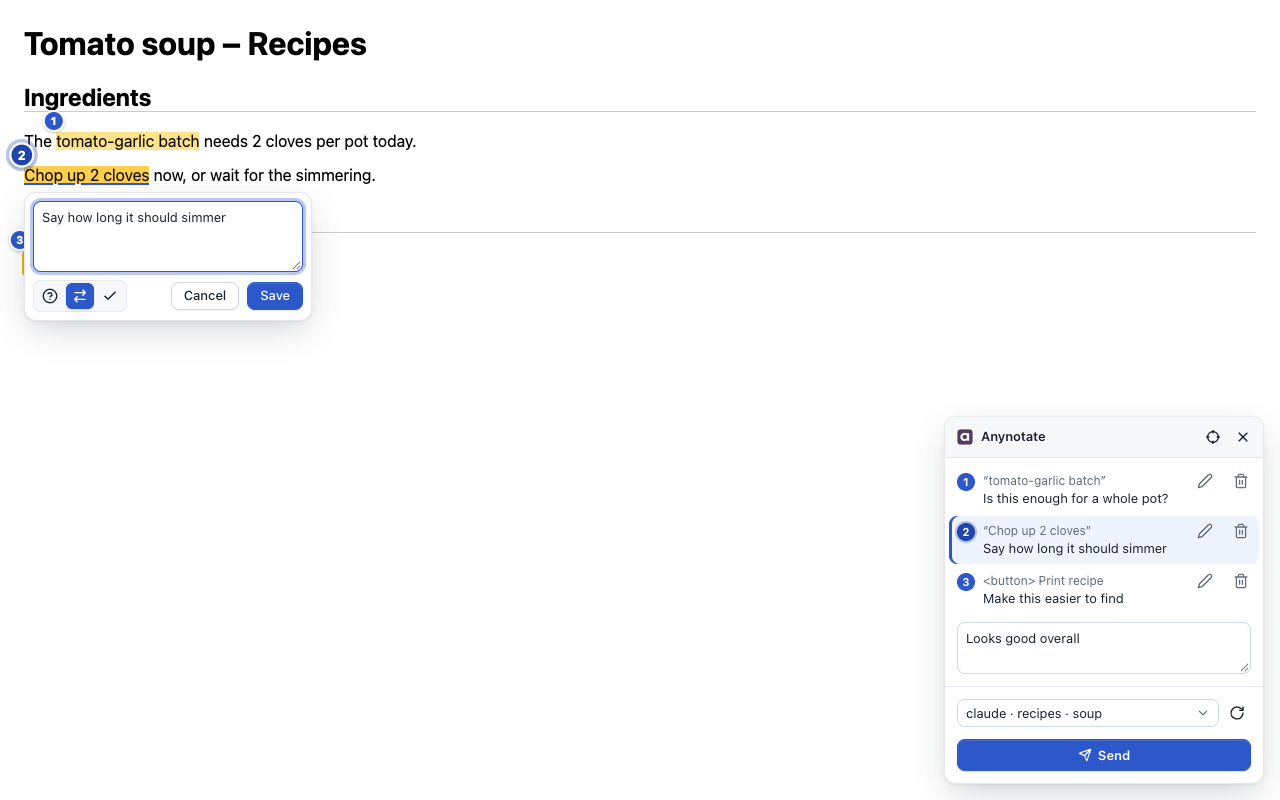
Optionally tag it: explain, change or approve.
-
Send
Pick a session and press Send.
Your agent gets every note with its context.
Read the guide: every step, with screenshots.
Notes that stay where you put them
Everything your agent needs to understand you
-
Numbered highlights
Every note is numbered on the page until you send it, readable on light and dark pages.
-
Pick or select by keyboard
Point at an element with Alt+Shift+E for its HTML, or select text with Shift and the arrow keys.
-
Mark a region
Drag a box over a chart, canvas or blank space; the crop is just that box.
-
Intent tags
Mark a note as explain, change or approve so the ask is clear.
-
Screenshot crops
A crop of what you pointed at is captured when you write the note.
-
Send anywhere
One list of herdr panes and Claude Code or Codex sessions, plus one 📥 Inbox any agent or MCP app reads.
-
Nothing lost
Unsent notes stay in your browser; a note whose text left the page is still sent, with its crop.
-
Live pages
Notes stay put through ticking values, re-rendered lists and hash routes; Scroll to finds one off screen.
-
Frames and embeds
Annotate inside frames, including other sites' after one Allow, such as AI chat artifacts.
-
Tidy inbox
Delivered notes are cleaned up after 30 days. You choose the period.
-
Every desktop
Chrome, Edge, Brave and Chromium. Installers and a background service on macOS, plus Linux and Windows Beta
-
Open source
The bridge, CLI and protocol are on GitHub for anyone to read. Bugs or ideas? Open an issue on GitHub.
Private by design
- The extension sends nothing off your computer.
- Your notes go only to the local bridge and the agent you choose.
- Password, card and one-time-code fields are covered in screenshots and blanked in captured text.
- The panel is hidden from the page's own scripts.
- No accounts, no analytics, no tracking.
Your agent may pass what it reads to its own model provider, as it does with anything you give it. Read the privacy policy
Something not working?
Only needed if there are issues.
Run the health check, or update
This checks the install, the bridge, the Chrome helper and the agent hooks, and tells you what to fix:
anynotate doctorGet the latest release and restart the bridge:
anynotate updateCommon problems and fixes are on the support page.